
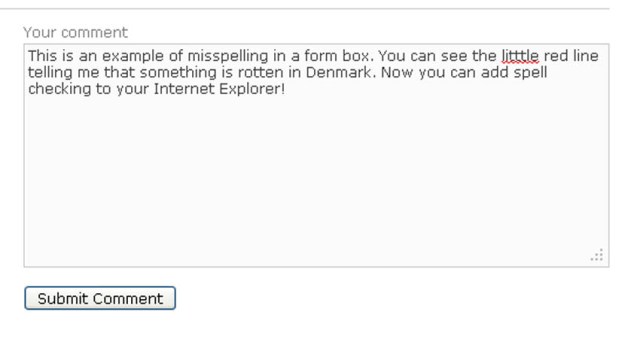
Okay, that’s a graham air joke not a spell check joke. Seriously, as much as I love Firefox® and Chrome®, I still occasionally need to use Internet Explorer®. However, I am dismayed that it lacks the built-in spell check capability found in both Firefox and Chrome. By spell check, I mean that little red line that indicates you’ve misspelled an important word in a web form (like the “comments” box on today’s Tuesday Tech Tip). Here’s an example:
Think of the issues that a Certified Legal Nurse Consultant could have when filling out web forms, surveys, IE browser-based email, etc.
Starting today, there’s no excuse for a misspelled word! CLNC® consultants who use Internet Explorer can simply download the Speckie real time spell checking add-on. All you need to do is visit the Speckie home page, select Download from the left-side menu, then click the orange download button and save the installer file. Once it’s downloaded, locate the installer in your Downloads folder and double-click it to install Speckie. It’s compatible with all versions of Internet Explorer (even version 9) and works automatically. If you’re an international CLNC® consultant, you can also install special dictionaries for languages such as Swedish, French and even Canadian (really).
Go forth and download today, and you’ll never unintentionally misspell a word in an Internet Explorer browser-based activity for your legal nurse consulting business!
 Keep on techin’,
Tom